
Product walkthrough
Organise your recipes so you can find them again
Create useful collections, add recipes you already own, and use recipe or collection search to find them again.
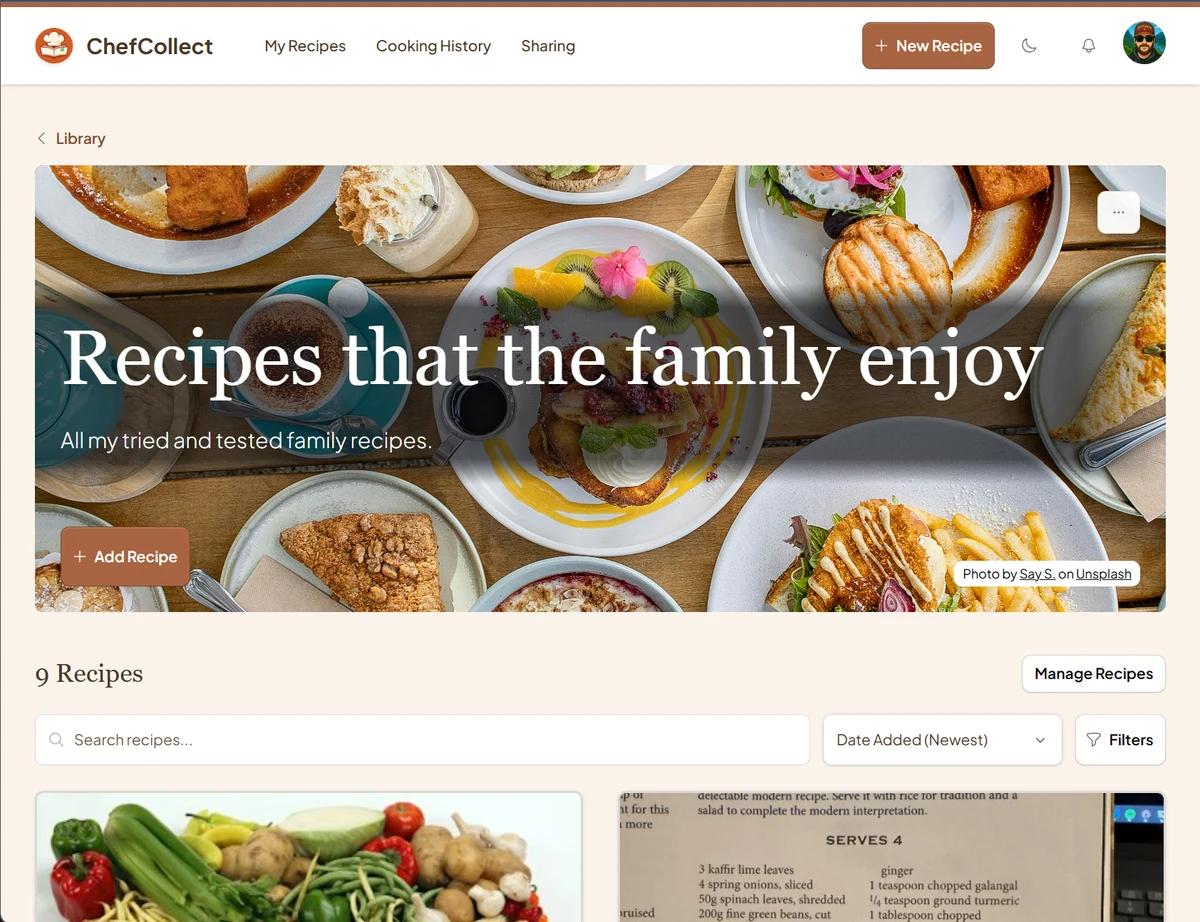
A saved recipe is only useful if you can find it when you need to cook. A library with five recipes is easy to scan; a library with fifty is less forgiving, especially when you remember the dish but not what you called it.
ChefCollect gives you a recipe library and collections. Search the library for a recipe; use collections to group dishes you want to find together. You do not need a perfect filing system before you start. Try a couple of collections based on how you actually choose what to cook.
For example you might use Weeknight meals and Weekend baking; or split it by cuisine, splits for the Mexican vs French dishes, whatever you want!
Choose names you will remember
Look at your existing recipes and ask how you would look for one. “Something quick after work” suggests Weeknight meals. “What can I bake on Saturday?” suggests Weekend baking. Those names offer a better clue than “Miscellaneous”.
Keep your first set small. A collection for every ingredient becomes another list to maintain. Start with two or three groups you can explain in a sentence. A recipe can belong to more than one useful collection; you are arranging access to it, not making another copy.
Create a collection
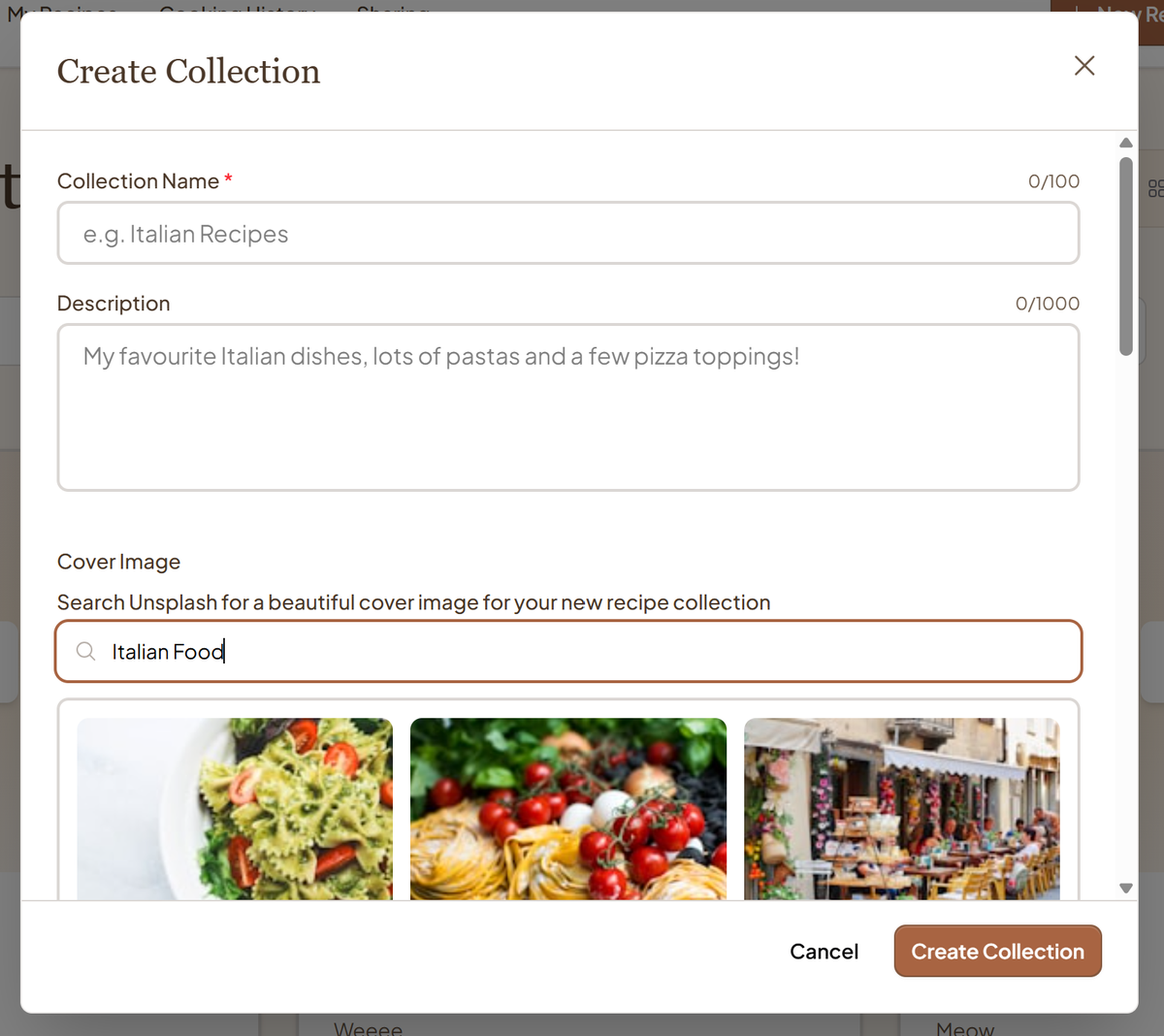
- Sign in and open your recipe library. Switch to Collections and choose New Collection.
- Give it a specific name, such as Weeknight meals. A description is optional; a line like “Meals I can make on a work night” may help you recognise it later.
- Choose a cover if you want one, then select Create Collection.
A cover can make the collection easier to spot, but its name is what you will search for. Spend more thought on the name than the image.
Put an existing recipe in it
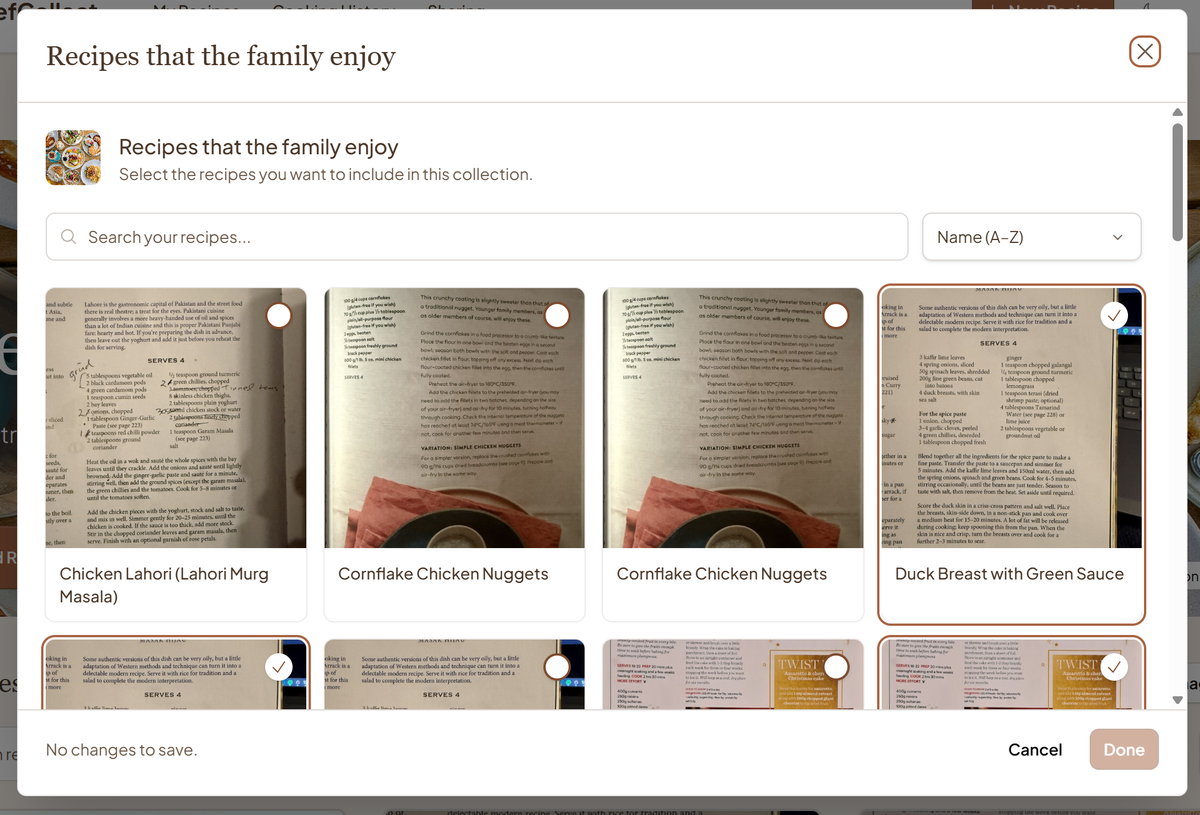
Open the new collection. If it is empty, choose Manage Recipes from the empty state. When it has recipes, Manage Recipes appears near the recipe list. Find a recipe you already saved, select it and choose Done to save the membership change. Return to the collection and open the recipe to confirm you picked the right one.
You might put a quick soup and a pasta dish in Weeknight meals, leaving a slow cake for Weekend baking. If a recipe belongs in both, select it in both collections instead of creating a second recipe.
You can also open a collection and choose Add Recipe to bring in a new one there. The guide to importing a recipe explains the available methods. If it comes from a cookbook page or handwritten card, use the photo import walkthrough to bring it into your library.
Find a recipe when you need it
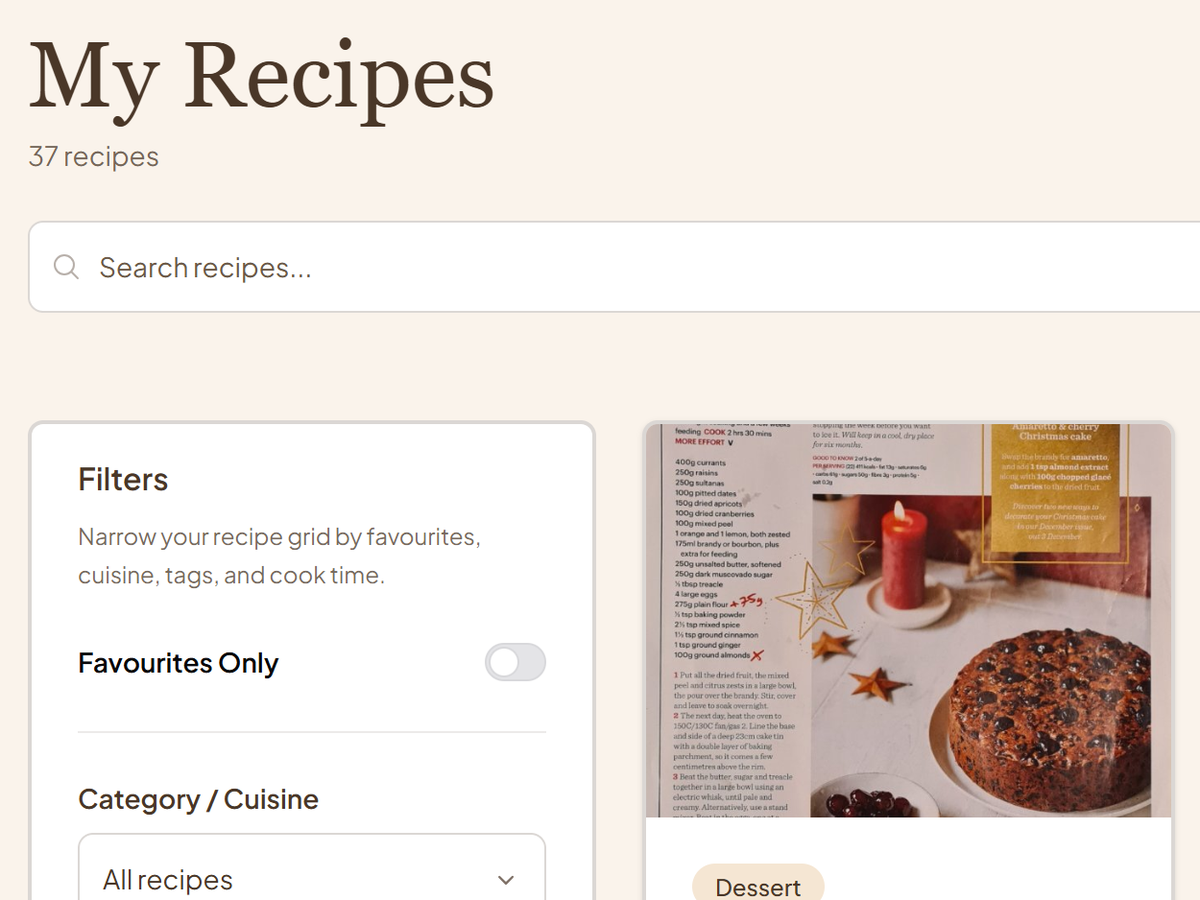
Try both routes, because they answer different questions:
- If you remember the recipe's name, switch to Recipes in the library and search for part of its title. Use filters if the list is still long.
- If you remember the group, switch to Collections and search for its name or a word in its description. Open the collection, then search or filter the recipes inside it.
A search for “weeknight” in Collections finds a collection named or described that way. It does not search every instruction in every recipe. For a particular dish, search Recipes or open the likely collection first.
Tidy up as you go
After a few weeks, ask whether your groups still match how you cook. If you never open a collection, its name may be too vague or its contents may overlap with another. Rename it or adjust its recipes. Removing a recipe from a collection removes that membership; the recipe remains in your library.
The test is practical: imagine wanting the dish tonight. Can you find it without scrolling through the whole library? If not, make one small change to the name or membership and try again.